Just For The Fun Of It — retro Commodore banner

⌂BASIC Programs

A personal collection of retro computers, games, books and memorabilia.

10 PRINT - DRIP LIKE THE MATRIX
BASIC Programs

10 PRINT - DRIP LIKE THE MATRIX

Commodore 64 BASIC

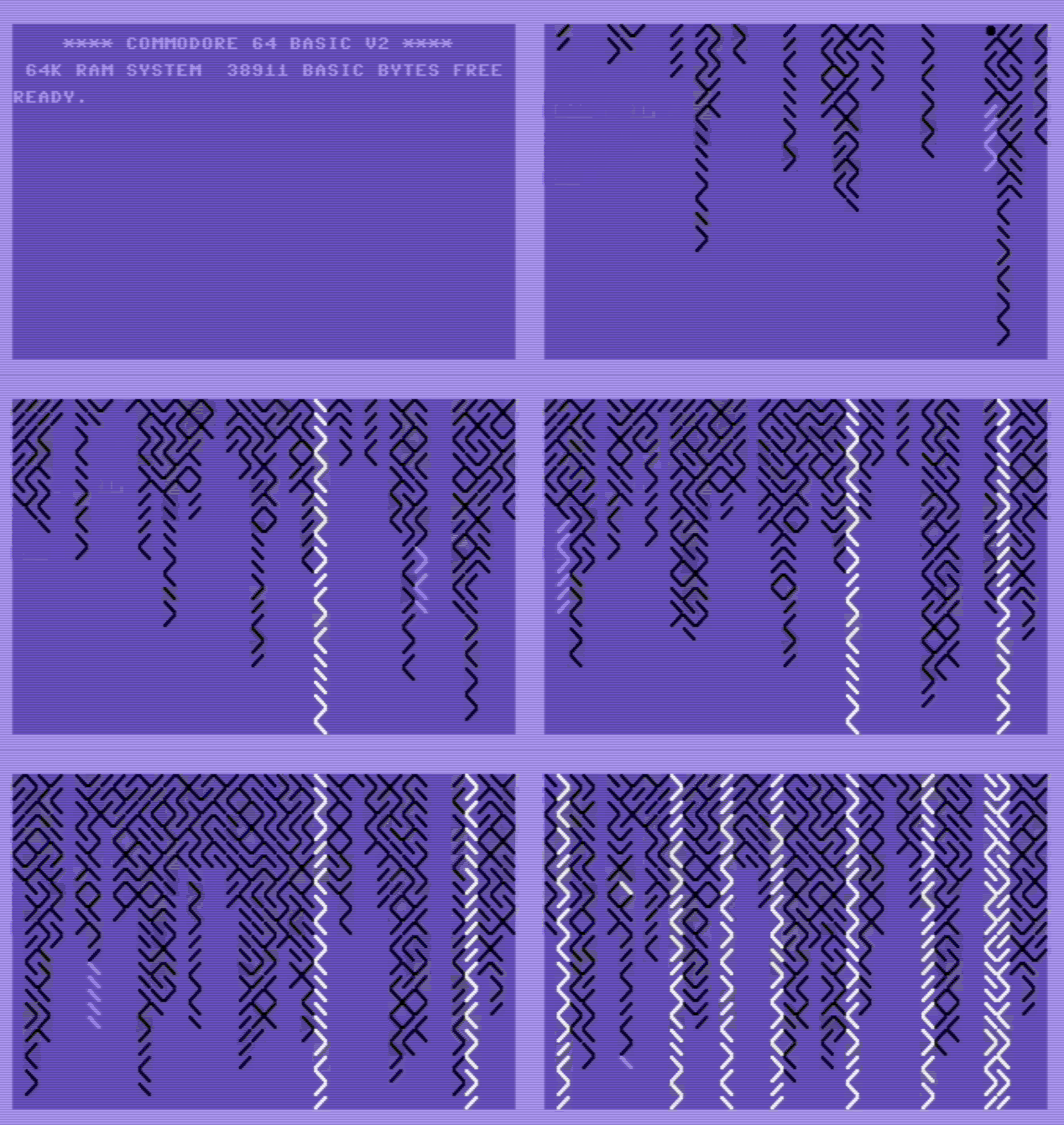
Here you can find an alternative method of filling the screen with the famous maze characters on the screen. Well known under "10 print". I created two version of the program. One shortened as much as possible (I think).
That results also in the most unreadable code. The second a bit more elaborated version.
```basic
1 printchr$(147):dim c(40):dim u(40):cm=55296:sm=1024
2 i=int(rnd(1)*40):d=int(rnd(1)*10):fOn=0tod:ifc(i)<=24tHc(i)=c(i)+1
3 pOsm+i+(c(i)-1)*40,77+int(rN(1)*2):ifc(i)=24aNu(i)=0tHu(i)=1:s=s+1:ifs=40tHeN
4 nextn:l=c(i):dc=0:ifl>24thendc=1
5 fOm=0tol-1:mp=i+m*40:pOcm+mp,dc:pOsm+mp,81:pOsm+mp,77+int(rnd(1)*2):nEm:gO2
```
In the second version, with the same result, each part is explained in more detail and therefore also easily be modified to your own liking.
The second version can be downloaded directly from my github location here
Open link

```basic
1 printchr$(147):dim c(40):dim u(40):cm=55296:sm=1024
2 i=int(rnd(1)*40):d=int(rnd(1)*10):fOn=0tod:ifc(i)<=24tHc(i)=c(i)+1
3 pOsm+i+(c(i)-1)*40,77+int(rN(1)*2):ifc(i)=24aNu(i)=0tHu(i)=1:s=s+1:ifs=40tHeN
4 nextn:l=c(i):dc=0:ifl>24thendc=1
5 fOm=0tol-1:mp=i+m*40:pOcm+mp,dc:pOsm+mp,81:pOsm+mp,77+int(rnd(1)*2):nEm:gO2
```

A LITTLE PIECE OF THE PAST
BASIC Programs

A LITTLE PIECE OF THE PAST

Commodore 64 BASIC

While sorting through some old computer magazines and books, I stumbled upon a real piece of my childhood.
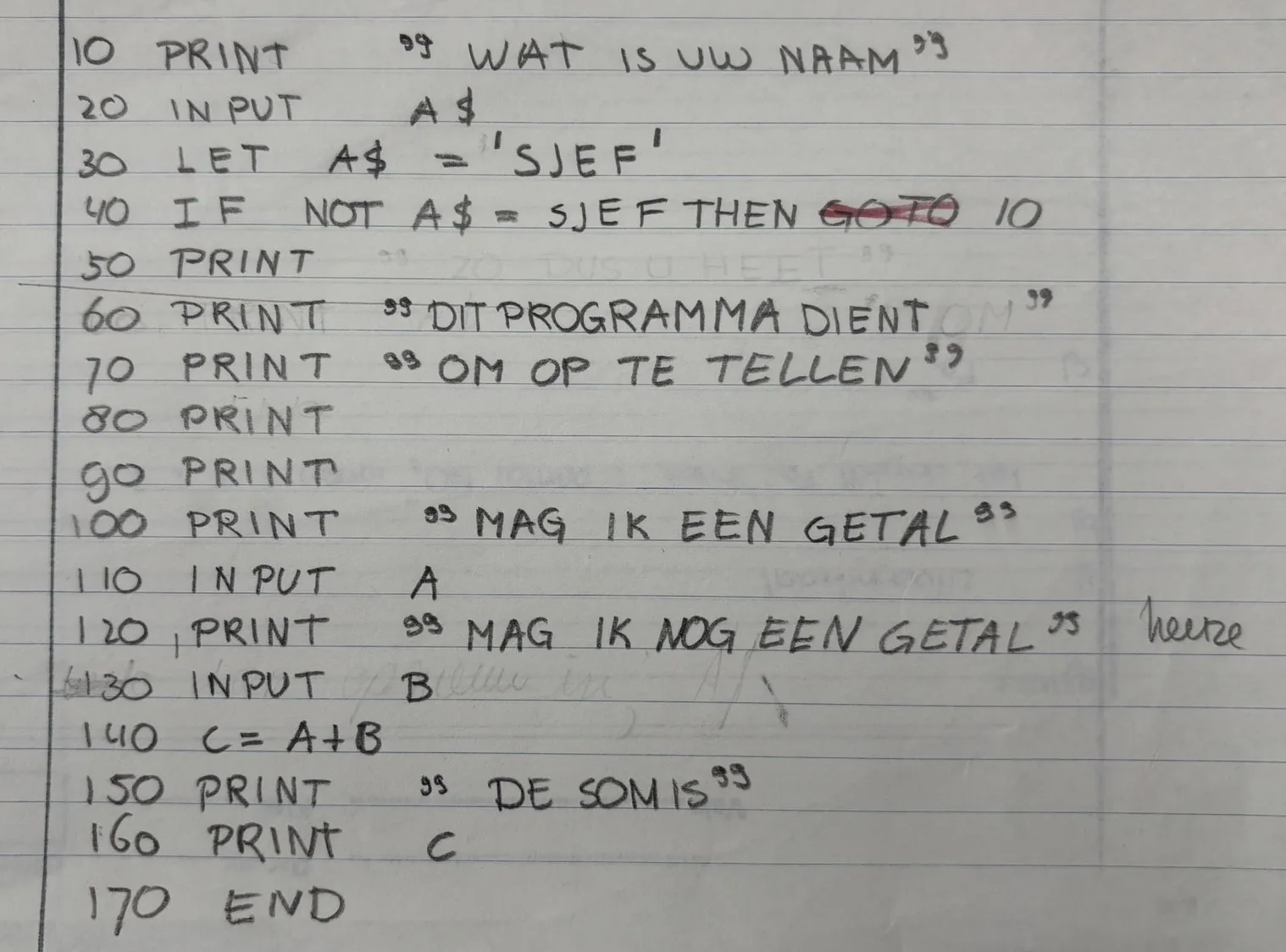
One of my very first BASIC programs handwritten!

Back then, I didn't even have a printer yet, so it's written on that same kind of lined school paper we used for homework and tests.
I recognized it right away.

It's funny to see how simple those first steps were, yet how much they ended up shaping my future. Who would have thought that a few lines of hand-written BASIC code would spark a lifelong career in IT?
Just something nice to keep just for the fun of it!

First steps. With some weird definition in line 30

BASIC CODE - A NICE FLOWER
BASIC Programs

BASIC CODE - A NICE FLOWER

Commodore 64 BASIC

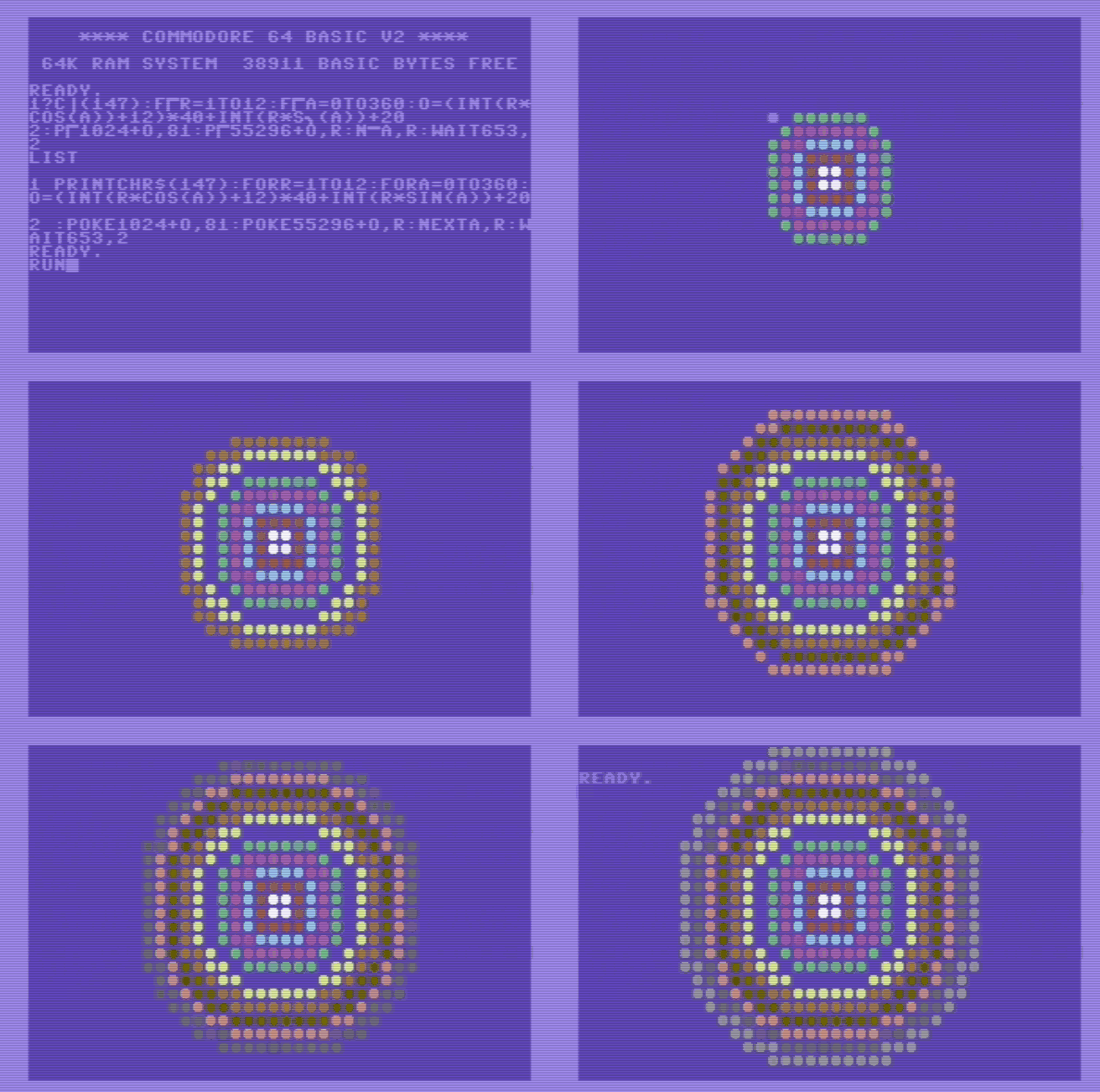
This miniature Basic program is defined using two basic code lines. I started with a one-liner only could not fit the code to realize random colorization in one line .
```basic
1?cH(147):fOr=1to12:fOa=0to360:o=(int(r*cos(a))+12)*40+int(r*sI(a))+20
2:pO1024+o,81:pO55296+o,r:nEa,r:wait653,2
```

BASIC CODE - A SMALL 10 LINE CODE PROGRAM
BASIC Programs

BASIC CODE - A SMALL 10 LINE CODE PROGRAM

Commodore 64 BASIC

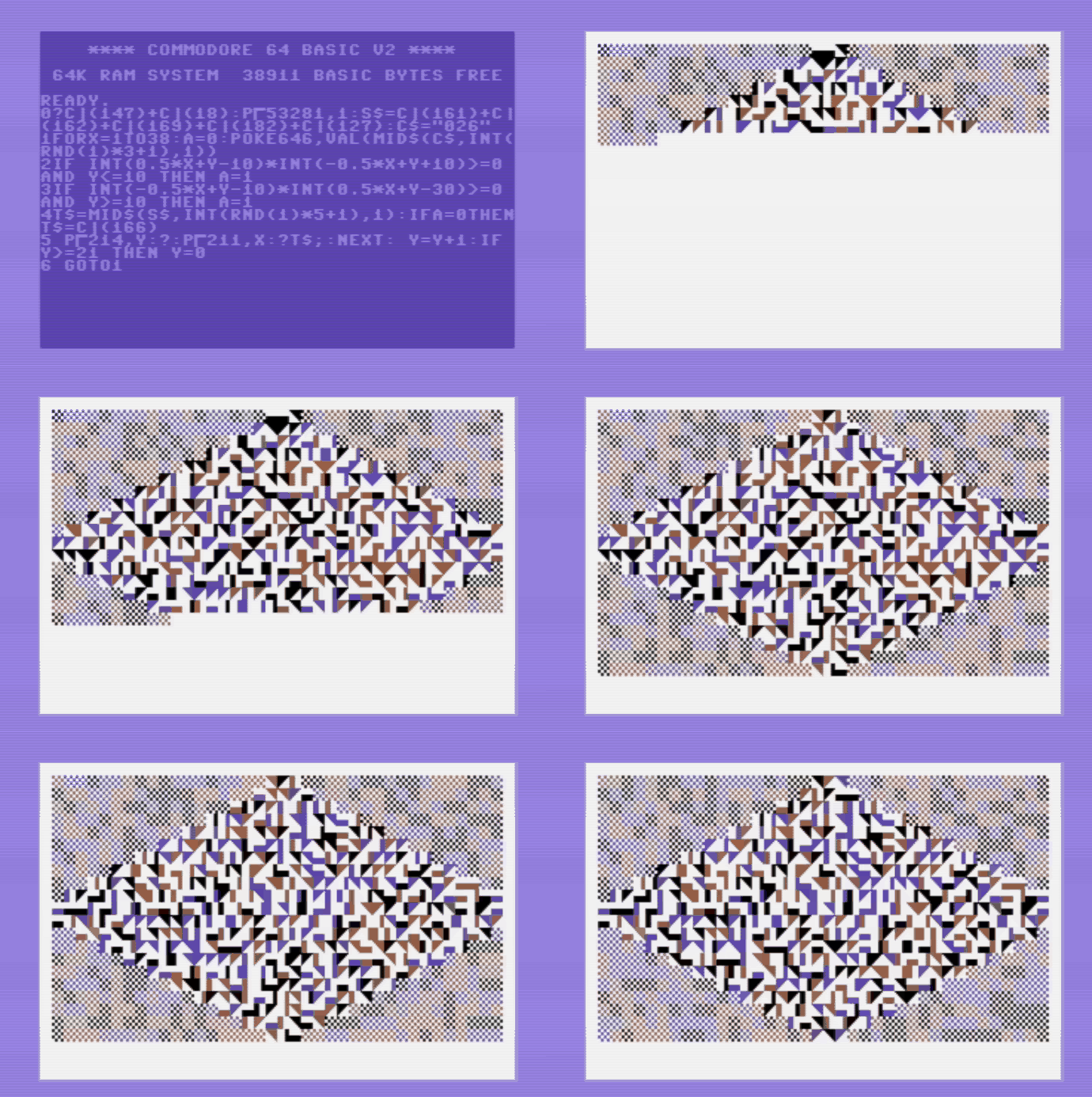
Iinspired" on the Modriaan painting i created this small basic program using the random function and some line math. Making use of the positioning cursor row and column on screen poke.

```basic
10 ?chr$(147):c$="026":poke53281,1:poke53280,0
15 s$=chr$(161)+chr$(162)+chr$(169)+chr$(182)+chr$(127)+" "
20 poke214,(rnd(.)*22):?:poke211,(rnd(1)*40):?mid$(s$,int(rnd(1)*6+1),1)
30 poke646,val(mid$(c$,int(rnd(1)*3+1),1)): goto 20
```

BASIC CODE - BIRDS CAN FLY ONELINER
BASIC Programs

BASIC CODE - BIRDS CAN FLY ONELINER

Commodore 64 BASIC

Using different techniques a nice oneliner is created here. You can move the bird from left to right using the keys 1 and 2. In de code below ensure that the "S" in the last part is actually the clear screen ({shift{+{home} keys).
```basic
0gEk:p=p+(k=1)-(k=2):pO214,10:?:pO211,20+p:?mI("JWKUWI",x+1,3):x=3-x:?"S":gO0
```
This here is the code as can be used to copy and past into the Vice emulator. The uppercase characters will then be transfered into the PETCII characters of the commodore.

```basic
0gEk:p=p+(k=1)-(k=2):pO214,10:?:pO211,20+p:?mI("JWKUWI",x+1,3):x=3-x:?"S":gO0
```

BASIC CODE - BREAKOUT
BASIC Programs

BASIC CODE - BREAKOUT

Commodore 64 BASIC

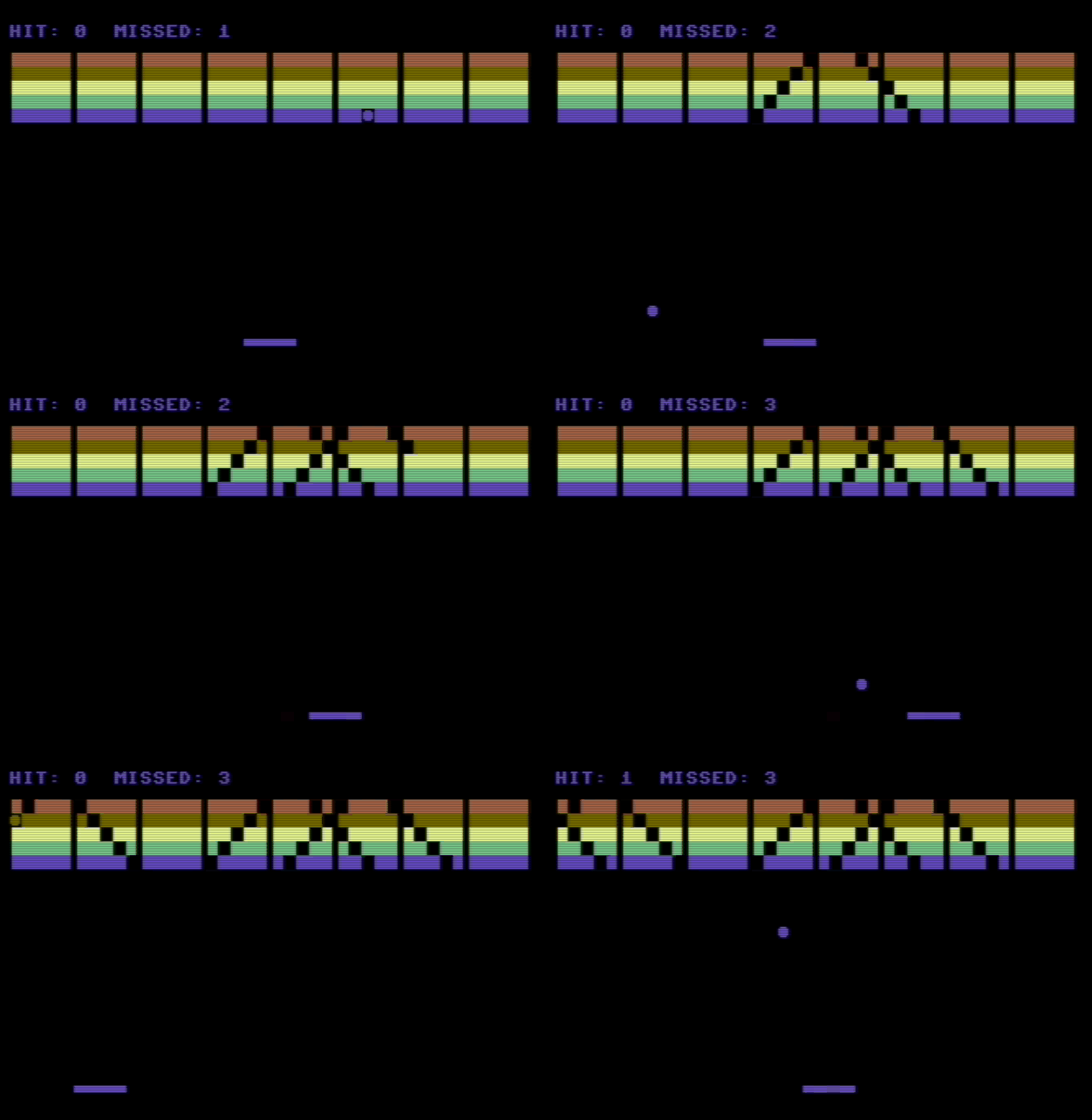
This time a minimalist version of the well-known game Breakout. I set myself the goal to see whether it is possible to make this in a maximum of ten lines Commodore Basic. Of course, it will not be a full version just a nice try. I wanted to have several minimal game elements in it such as:
* Colour bars
* A bouncing ball
* A paddle to bounce the ball
* Something for keeping score
It is precisely with these components that I have built up the program step by step. Below first the long version with comments and not shortened commands so that it remains readable.

To move the paddle the key "1" (left) en "2) right can be used.
```basic
100 rem ---------------------------------------------
110 rem initialization of variables
120 rem ---------------------------------------------
130 pp=17: rem paddle start line on screen
140 sm=1024: rem screen memory start
150 sa=sm+(22*40): rem screen boundary adress range
160 dx=1:dy=1: rem initial direction of bouncing ball (positive)
170 x=int(rnd(1)*24):y=12: rem ball start position with random x position
180 c$=chr$(28)+chr$(149)+chr$(158)+chr$(30)+chr$(31) : rem define color values
185 1 = 1 : rem used to reverse ball on missed and last key direction
188 h = 0 : rem hit score variable
190 rem ---------------------------------------------
200 rem initialisation of screen start and color
210 rem ---------------------------------------------
220 poke 650,128 : rem set key input on repeative
230 poke 53280,0 : rem screen border color to black
240 poke 53281,0 : rem screen color to black
250 print chr$(147): rem clear screen and cursor to top
260 rem ----------------------------------------------
270 rem draw five color lines with eight bars
280 rem ----------------------------------------------
290 print : rem print blanco screen line on top
300 for p=1 to 5:
310 for n=1 to 8
320 print chr$(18)+mid$(c$,p,1)+chr$(229)+" "+chr$(234);
330 next n
340 next p
350 rem ----------------------------------------------
360 rem start main loop (paddle and bouncing ball)
370 rem ----------------------------------------------
380 sp=sa+pp : rem calculate start position of paddle
390 rem ----------------------------------------------
400 rem poke the paddle characters into memory on calculated position
410 rem start and end with space (32) to clear previous on movement
420 rem ----------------------------------------------
430 pokesp,32:pokesp+1,98:pokesp+2,98:pokesp+3,98:pokesp+4,98:pokesp+5,32
440 rem ----------------------------------------------
450 rem get input (key "1" = left, key "2" = right
460 rem ----------------------------------------------
470 getk:pp=pp+(k=1)-(k=2)
480 rem ----------------------------------------------
490 rem validate boundaries' to ensure new position is within play area
500 rem ----------------------------------------------
510 if pp<-1 then pp=-1 : rem reset pebble position to min -1
520 if pp>35 then pp=35 : rem reset pebble position to max 35
530 rem ----------------------------------------------
540 rem clear current bouncing ball position and calculate new
550 rem ----------------------------------------------
560 pokesm+x+(y*40),32:
570 if y>=24 or y<1 then dy=-dy : rem reverse y on boundary
580 if y>=24 then ms=ms+1 : rem count missed if y below pebble
590 if x>=39 or x<1 then dx=-dx : rem reverse x on boundary
600 if k=1 then mc=-mc : rem direction correction on hit and last key
610 x= x+dx : y= y+dy : rem new ball x,y coordinate
620 rem ----------------------------------------------
630 rem validate hit pebble on hit count and shift to pebble position
640 rem ----------------------------------------------
650 if peek(sm+x+(y*40))=98 then dx=-dx*mc:dy=-dy:h=h+1:x=pp
660 poke sm+x+(y*40),81 : rem poke new ball position on screen
670 print chr$(19)"hit:";h;" missed:";ms : rem rewrite score on screen
680 goto 380 : rem restart main loop
```

BASIC CODE - CHRISTMAS TREE
BASIC Programs

BASIC CODE - CHRISTMAS TREE

Commodore 64 BASIC

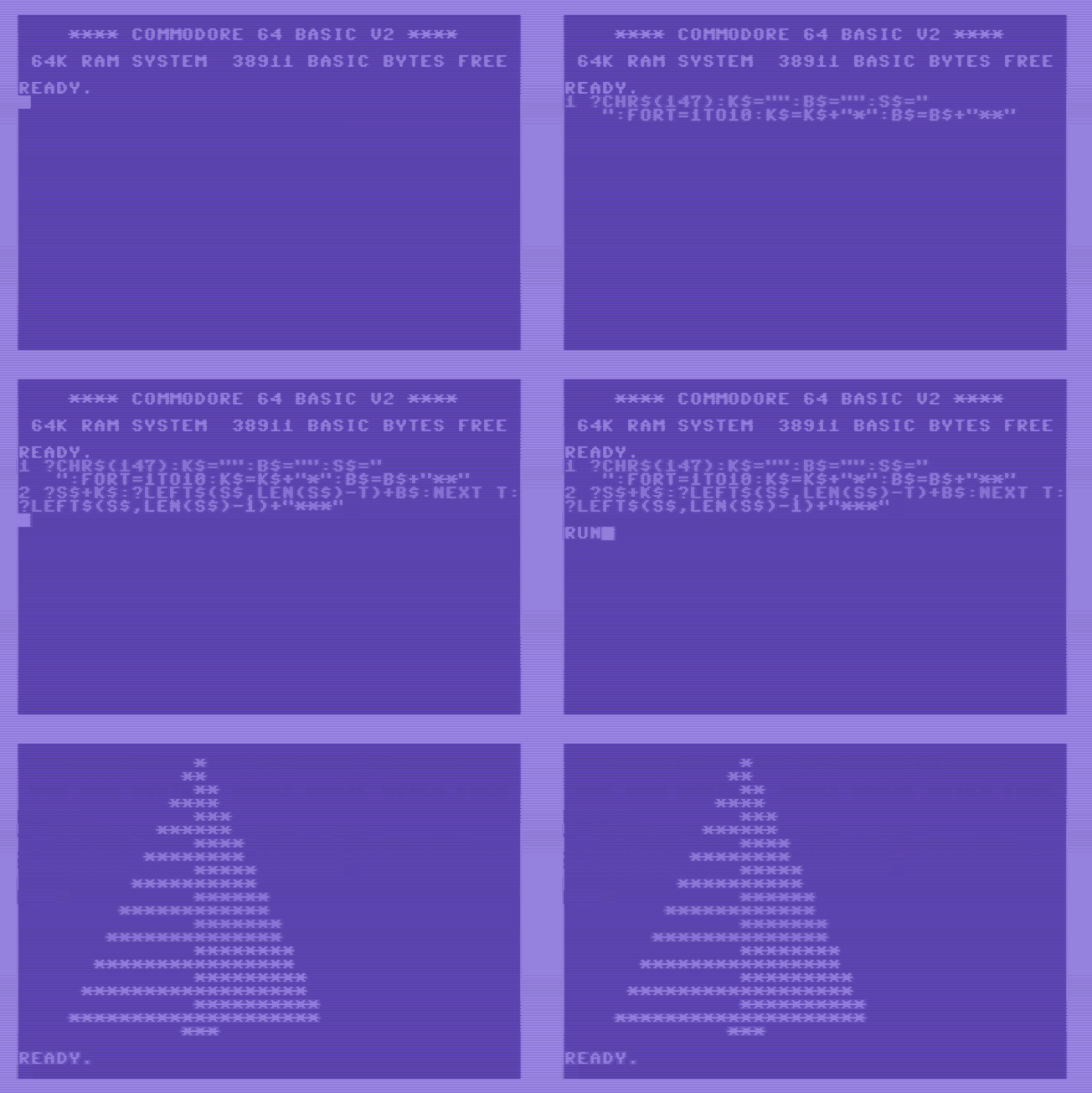
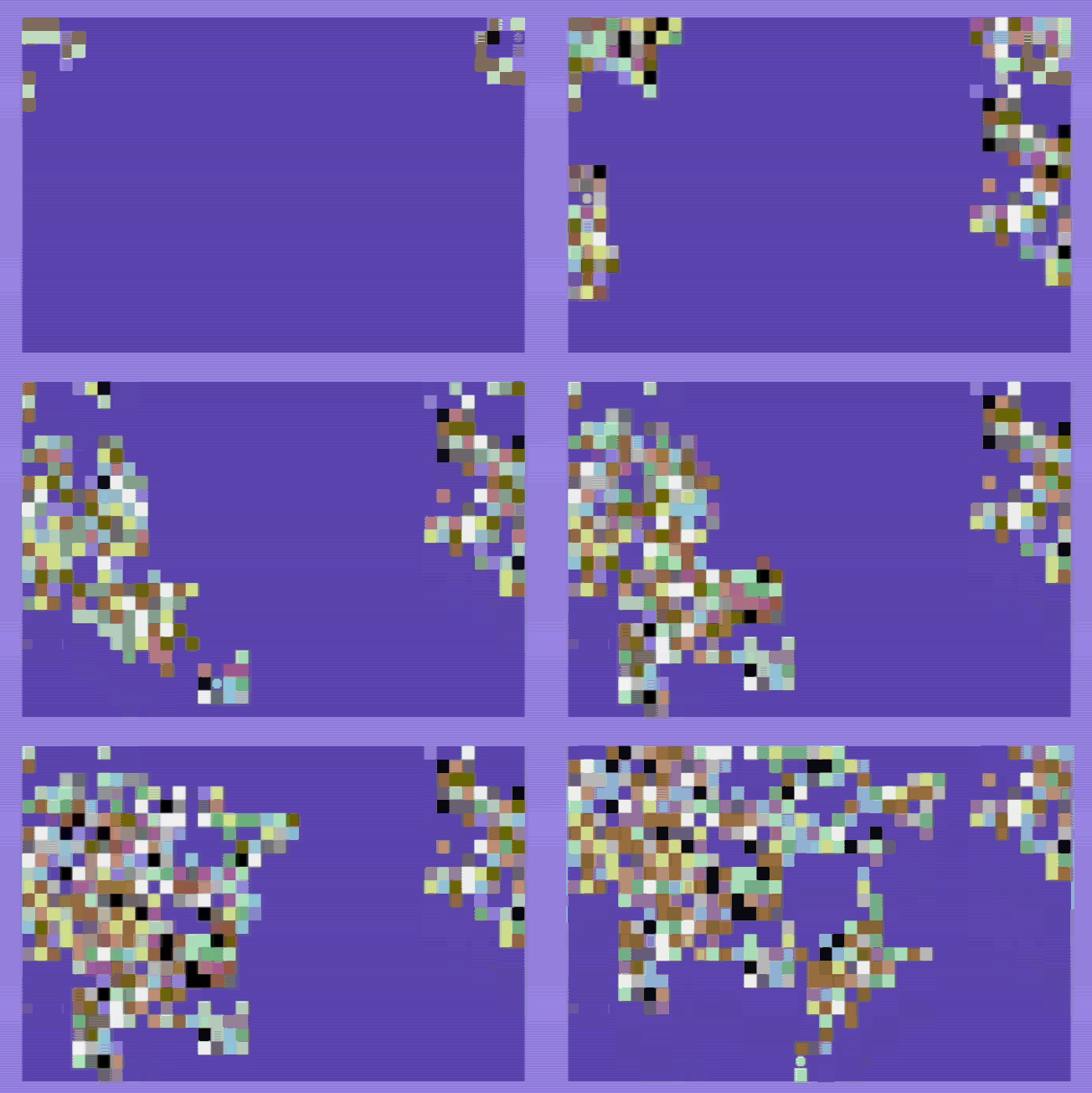
Just a for the fun of it. This is one of the first basic lines that I type on the commodore after starting it up after almost 40 years.

```basic
1?chr$(147):k$="":b$="":s$=" ":fort=1to10:k$=k$+"*":b$=b$+"**"
2?s$+k$:?left$(s$,len(s$)-t)+b$:next t:?left$(s$,len(s$)-1)+"***"
```

BASIC CODE - COLOR BORDERS
BASIC Programs

BASIC CODE - COLOR BORDERS

Commodore 64 BASIC

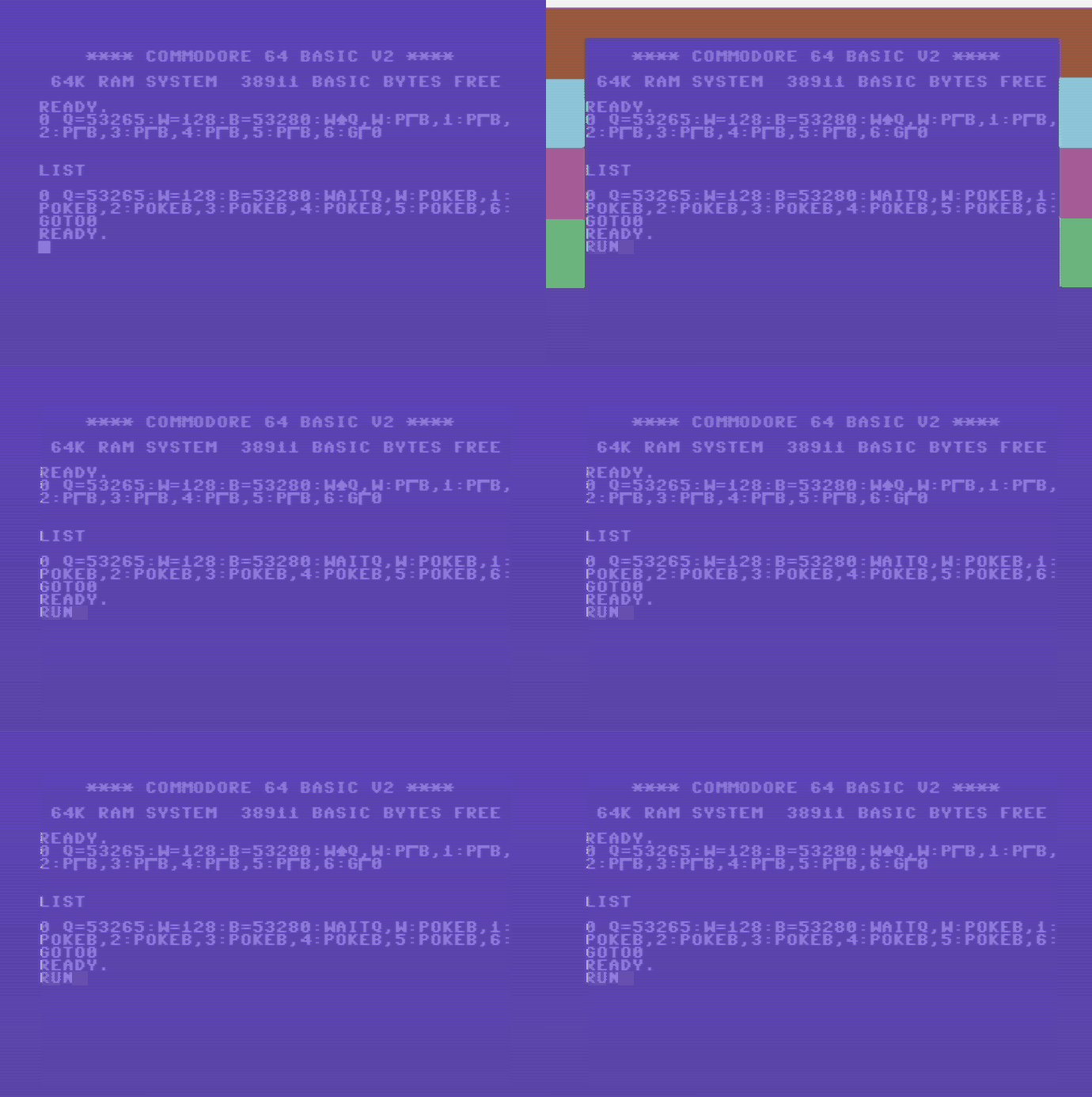
This small basic code program for the Commodore 64 will show multicolor borders. You can copy the code below if you want to test it in Vice the commodore 64 emulator.

```basic
0 q=53265:w=128:b=53280:wAq,w:pOb,1:pOb,2:pOb,3:pOb,4:pOb,5:pOb,6:gO0
```

BASIC CODE - DRAW SINUS WITH CHARACTERS
BASIC Programs

BASIC CODE - DRAW SINUS WITH CHARACTERS

Commodore 64 BASIC

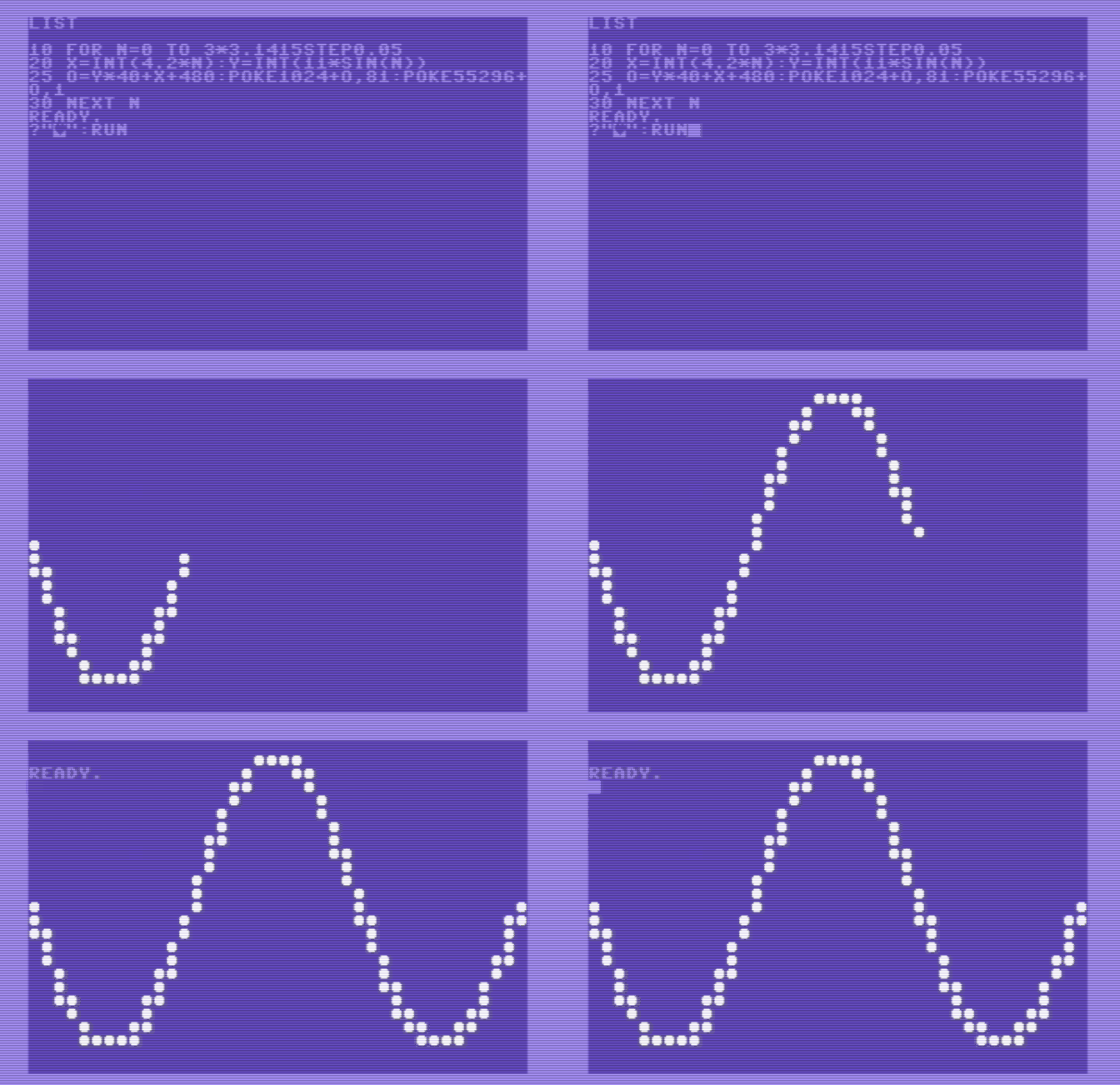
I created this oneliner after I saw a demo on a plot function added to the Basic interpreter. I was thinking this is something I needed to try just using the standard functions.
To have more understanding on the oneliner I also have the more readable version here that can be copied directly into the vice commodore emulator if you want.

The actual one-line miniature Basic code as typed in on the commodore could just fit in oneline using the petcii characters.

```basic
10 for n=0 to 3*3.1415step0.05
20 x=int(4.2*n):y=int(12*sin(n))
25 o=y*40+x+(12*40):poke1024+o,81:poke55296+o,1
30 next n
```

BASIC CODE - FULL ARCADE IN A ONELINER
BASIC Programs

BASIC CODE - FULL ARCADE IN A ONELINER

Commodore 64 BASIC

This one is really special. I had heard of it but could not find the actual source of it until recently I discovered that it had his own web-site with a very appropriate name, namely: oneliner64.com.
It is a real one-liner fully playable game with stars and spaceship (ok, you need some imagination). You control the ship using the number "1" and "9" keys. I first tried it in Vice, but to be able to play you need to slowdown the game a bit, it is to fast.

It uses every basic abbreviation that is possible. You can read on this here. It took me a few moments to figure them out to see what I needed to type in to get it working. This is really a master-piece of work.

```basic
1?tArN(0)*39)"*":gEk:p=p+(k=1)-(k=9):pO1284+p,22:onp<420aN(pE(1324+p)=42)+2gO,1
```

BASIC CODE - GEOMETRIC PATTERNS
BASIC Programs

BASIC CODE - GEOMETRIC PATTERNS

Commodore 64 BASIC

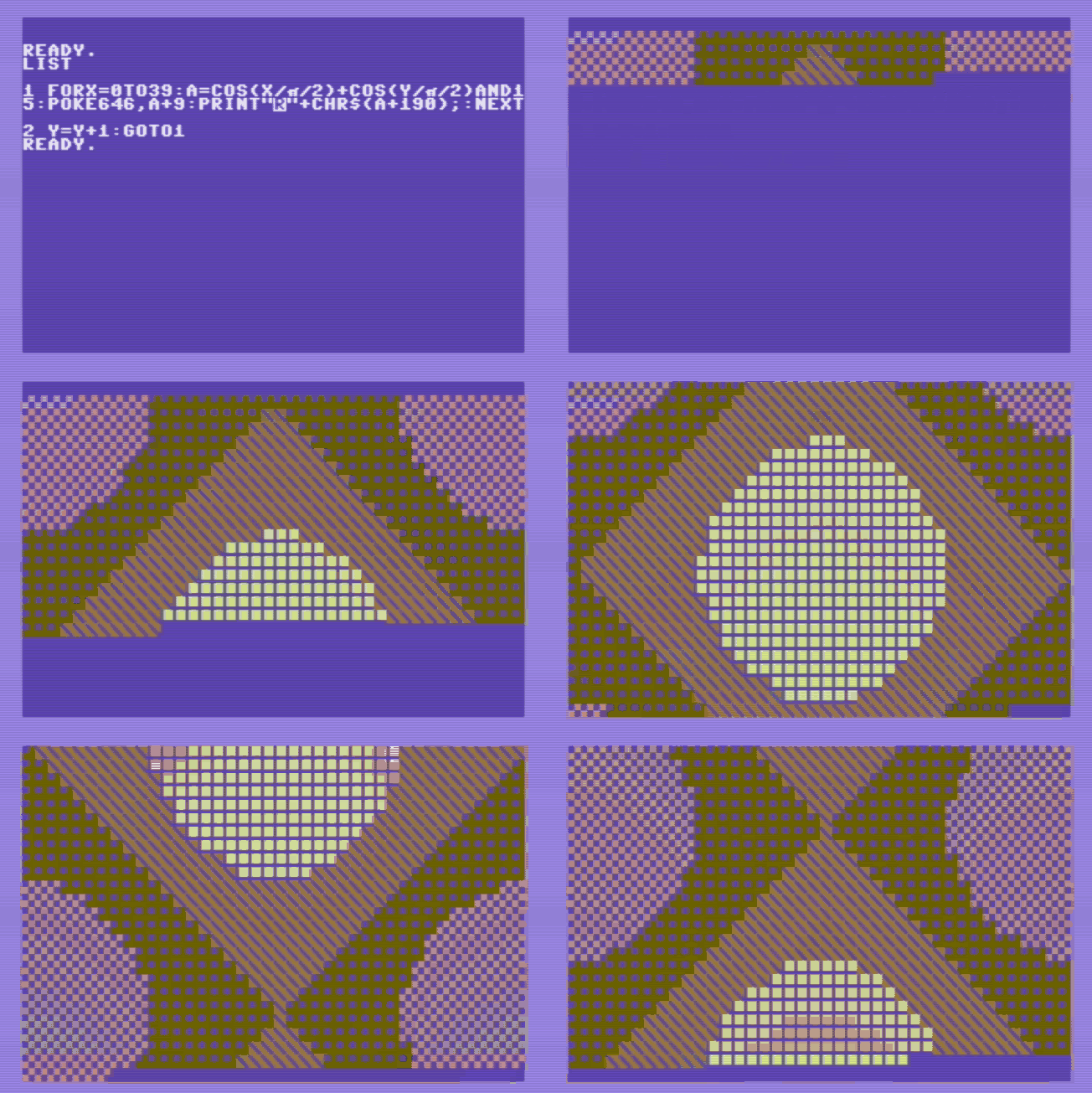
This I found on the internet ( here) from basic-fieserwolf (Needed to google a bit how to type the "Pi" character in Vice. (ctrl+page-down, in low character mode) just that you know it. So you can shorten it to one-line is you use the Petscii characters.
Here the code using the chr$ values instead of the petscii chars to be able to show it here.

```basic
1forx=0to39:a=cos(x/3.14/2)+cos(y/3.14/2)and15
2 poke646,a+9:printchr$(18)+chr$(a+190); :next: y=y+1:goto1
```

BASIC CODE - LASER BARS
BASIC Programs

BASIC CODE - LASER BARS

Commodore 64 BASIC

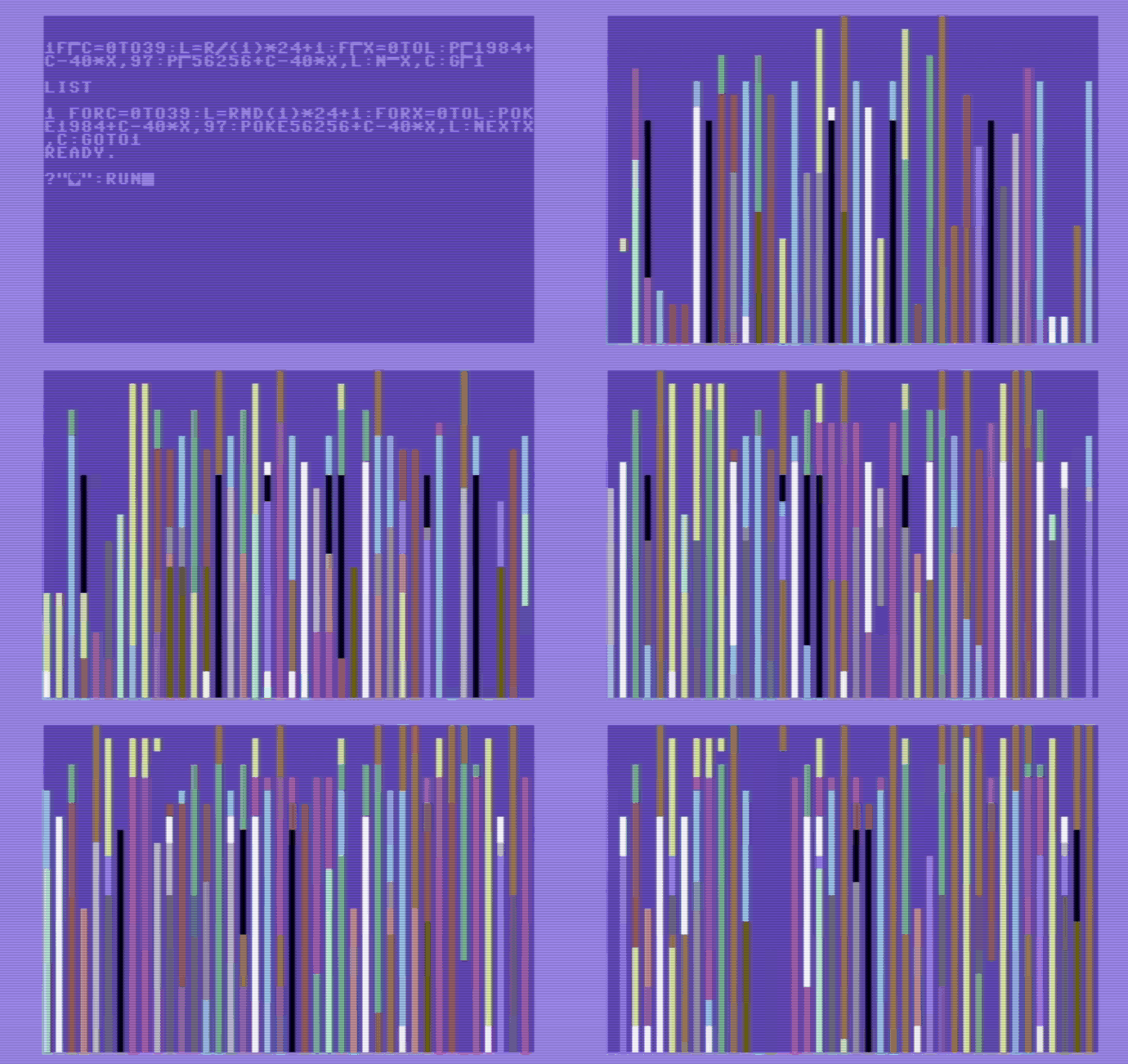
This oneliner shows the use of the screen memory and color memory in combination with the poke command to put a character and color on a certain location on the screen. The position is calculated from top to bottom. This is all done in just one single line of code. This is done by entering the commands using the shortcodes as mentioned before.

```basic
1fOc=0to39:l=rN(1)*24+1:fOx=0tol:pO1984+c-40*x,97:pO56256+c-40*x,l:nEx,c:gO1
```

BASIC CODE - MAZE ONELINER
BASIC Programs

BASIC CODE - MAZE ONELINER

Commodore 64 BASIC

This is I think one of the most known one-liner. It even has a real book written about it. This can be found here ( https://10print.org/)

```basic
10 print chr$(109+int(rnd(1)*2));:goto 10
```

BASIC CODE - PIXELSCROLL COMMODORE 64 SCREEN
BASIC Programs

BASIC CODE - PIXELSCROLL COMMODORE 64 SCREEN

Commodore 64 BASIC

A small demontrstration to show a use of the wait command and the register 53265 to create a pixel scroll.

```basic
10 ?chr$(147):poke53280,6:poke53281,1:for l=1024to2023:pokel,123:nextl
30 forl=0to7:wait53265,128:poke53265,(peek(53265)and240)or7-l:poke53270,l:next
40 goto 30
```

BASIC CODE - SIMPLE DEMONSTRATION OF COLOR BARS
BASIC Programs

BASIC CODE - SIMPLE DEMONSTRATION OF COLOR BARS

Commodore 64 BASIC

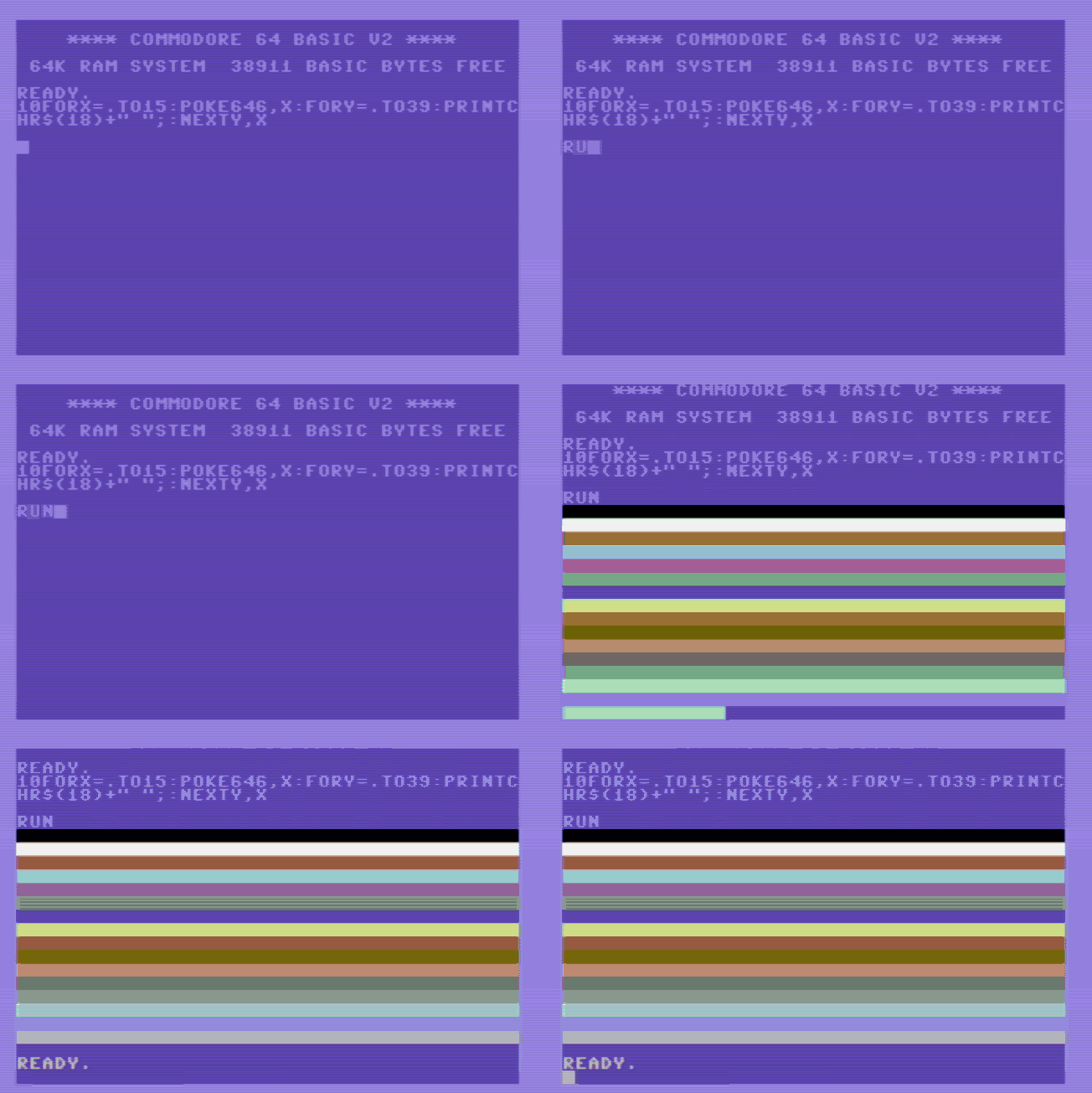
Just showing the 16 colors of the Commodore 64 using the print and cursor position poke commands.

```basic
10forx=.to15:poke646,x:fory=.to39:printchr$(18)+" ";:nexty,x
```

BASIC CODE - SNAKE USING PETCII CHARACTERS
BASIC Programs

BASIC CODE - SNAKE USING PETCII CHARACTERS

Commodore 64 BASIC

I just played a bit with the Petscii cursor characters and the random function. The below code can be shorted using the Petscii characters, but for ease of copy here using the chr values.
This can be done in one-line, however here I will show the code using chrs$ command for readbility. If you replace them with the Petcii coresponding characters you can fit this on one line.

```basic
0 c$=chr$(145)+chr$(157)+chr$(29)+chr$(17):print chr$(147)
1 printchr$(113)+chr$(157);:fort=1to50:next:poke646,rnd(.)*256
2 print chr$(18)+" "+chr$(146)+chr$(157)+mid$(c$,rnd(1)*4+1,1);:goto1
```

BASIC CODE - TEXT SCROLLER
BASIC Programs

BASIC CODE - TEXT SCROLLER

Commodore 64 BASIC

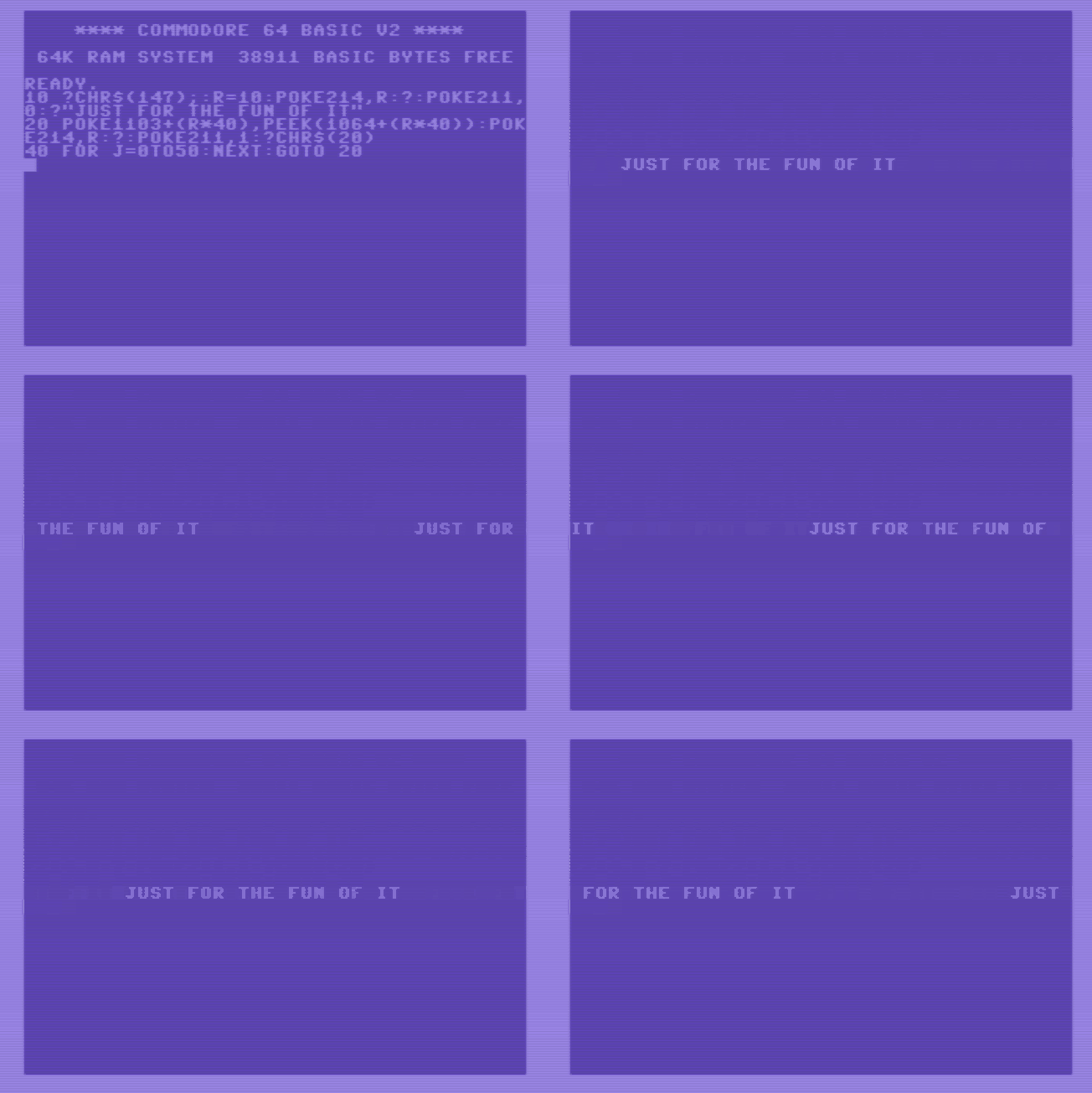
This small two liner uses the poke commands to position the cursor on a certain row and line in the tekst screen.

```basic
10 ?chr$(147);:r=10:poke214,r:?:poke211,0:?"just for the fun of it"
20 poke1103+(r*40),peek(1064+(r*40)):poke214,r:?:poke211,1:?chr$(20)
40 for j=0to50:next:goto 20
```

BASICCODE GAME - PATTERN MATCHING
BASIC Programs

BASICCODE GAME - PATTERN MATCHING

Commodore 64 BASIC

2022 - After working on different one-liner programs I wanted to create a small basic game. The challenge is to find an idea that is not to complex but also has some challenges and also a simple game concept.

At first I was just playing with some code to see how I could draw some simple rectangles on the screen. Then an idea struck me. The idea was simple and as follows:
can I create blocks with a certain pattern on the screen for which a user should search for equal patterns.

From this idea i doodled a bit on my ipad and brought it back to the following
generate a matrix of a number of rectangles on the screen let say 16 use a character that has a pattern randomize the color of the characters and ensure they are all different then select two random blocks in this matrix highlight the second block copy the pattern from the first to the second (just the color) (the second because otherwise changing color would disclose both blocks (because process is probably to slow) Ok next start programming, testing and try to keep it as lean and mean as possible, so first the consept nog input, output, any user input or score.

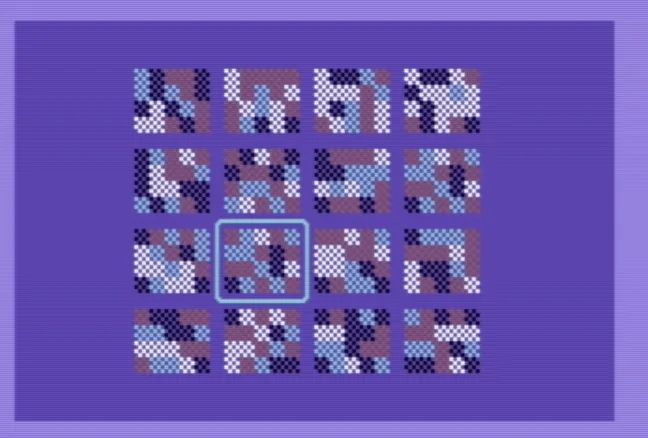
Then the result:

Then the user can use see which block and pattern is equal to the one marked. After pressing a key the answer is revealed.

Then the game code. This code can be copied directly into the VICE Commodore 64 emulator if you want to play with it a bit.

```basic
10 rem pattern matching concept game
20 rem initialize size and start position
30 dim bp(16)
35 printchr$(147):ai=1:sm=1024:cm=55296:r=4:c=4:w=4:h=3:sp=(6-w)+((6-h)*40)
50 rem draw a matrix of random blocks
100 for b=0 to r-1:for i=1 to c:for l=0 to h:for p=0 to w
130 o =(i*(w+2))+sp+p+(40*l)+(40*b*(h+2)):pOsm+o,102:pOcm+o,int(rnd(1)*4)
150 next p,l:bp(ai)=o:ai=ai+1:next i,b
200 rem random selections of which blocks to equalize
210 f=int(rnd(1)*16)+1: s=int(rnd(1)*16)+1:if f=s then goto 210
250 rem mark first block
270 tl=f:gosub 800:co=1:rem gosub 400 :rem only for debug
280 rem copy color to second block and mark block
310 tl=s:gosub 800:co=3:gosub 400 :gosub 600
320 rem end of program
325 poke214,22:print:poke211,5:print"press a key to see the answer"
340 poke 198,0: wait 198,1 : rem wait on key pressed
350 rem disclosure other block
360 tl=f:gosub 800:co=1:gosub 400
362 poke214,22:print:poke211,5:print"press a key to play again"
365 poke 198,0: wait 198,1: goto 35 :rem again again
370 end
400 rem mark a tile use passed tile id
410 for m=0 to w+2:pokesm+lc-1+m,67:pokecm+lc-1+m,co:next m
420 for m=0 to w+2:pokesm+bc-1+m,67:pokecm+bc-1+m,co:next m
430 for m=0 to h+2:pokesm+lc-1+(m*40),66:pokecm+lc-1+(m*40),co:next m
440 for m=0 to h+2:pokesm+lc+w+1+(m*40),66:pokecm+lc+w+1+(m*40),co:next m
450 pokesm+lc-1,85:pokesm+bc-1,74:pokesm+lc+w+1,73:pokesm+bc+w+1,75
500 return
600 rem copy tile colours to from first to second tile
610 tl=f:gosub 800:fc=lc:tl=s:gosub 800
620 for i=1 to h+1:for j=0 to w: poke cm+lc+j+(i*40),peek(cm+fc+j+(i*40))
650 next j,i : return
800 rem set determine left corner en bottom corner
810 lc = (bp(tl)-((h+1)*40)-w): rem left corner top
820 bc = (bp(tl)-w)+40: rem bottom corner
830 return
```

BORDER DEMO IN BASIC
BASIC Programs

BORDER DEMO IN BASIC

Commodore 64 BASIC

After a challenge on Facebook by Holger Webling I created a version of the border print basic program.
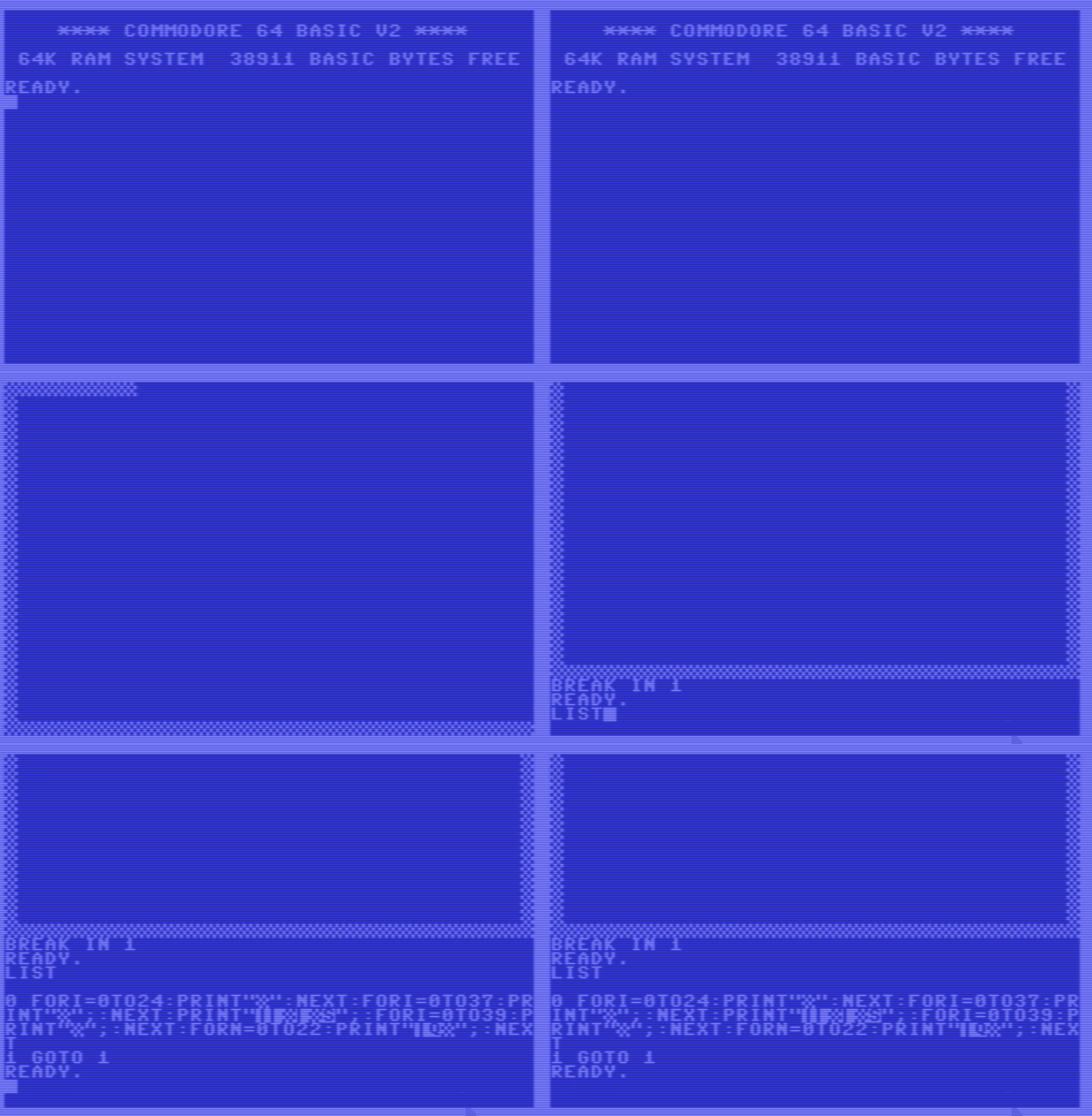
Idea was to create a one-liner as short as possible to create a border on the commodore screen without using the poke command so just print.
Well It might not be shorter than the examples shown but i found it a good try and nice animation.

Next the code as to be used in CBM studio

```basic
0fOi=0to24:?"{166}":nE:fOi=0to37:?"{166}";:nE:?"{157}{148}{166}{148}{166}{19}";:fOi=0to39:?"{166}";:nE:fOn=0to22:?"{157}{17}{166}";:nE
1 goto 1
```

BORDER VARIATION - OUTER TO INNER
BASIC Programs

BORDER VARIATION - OUTER TO INNER

Commodore 64 BASIC

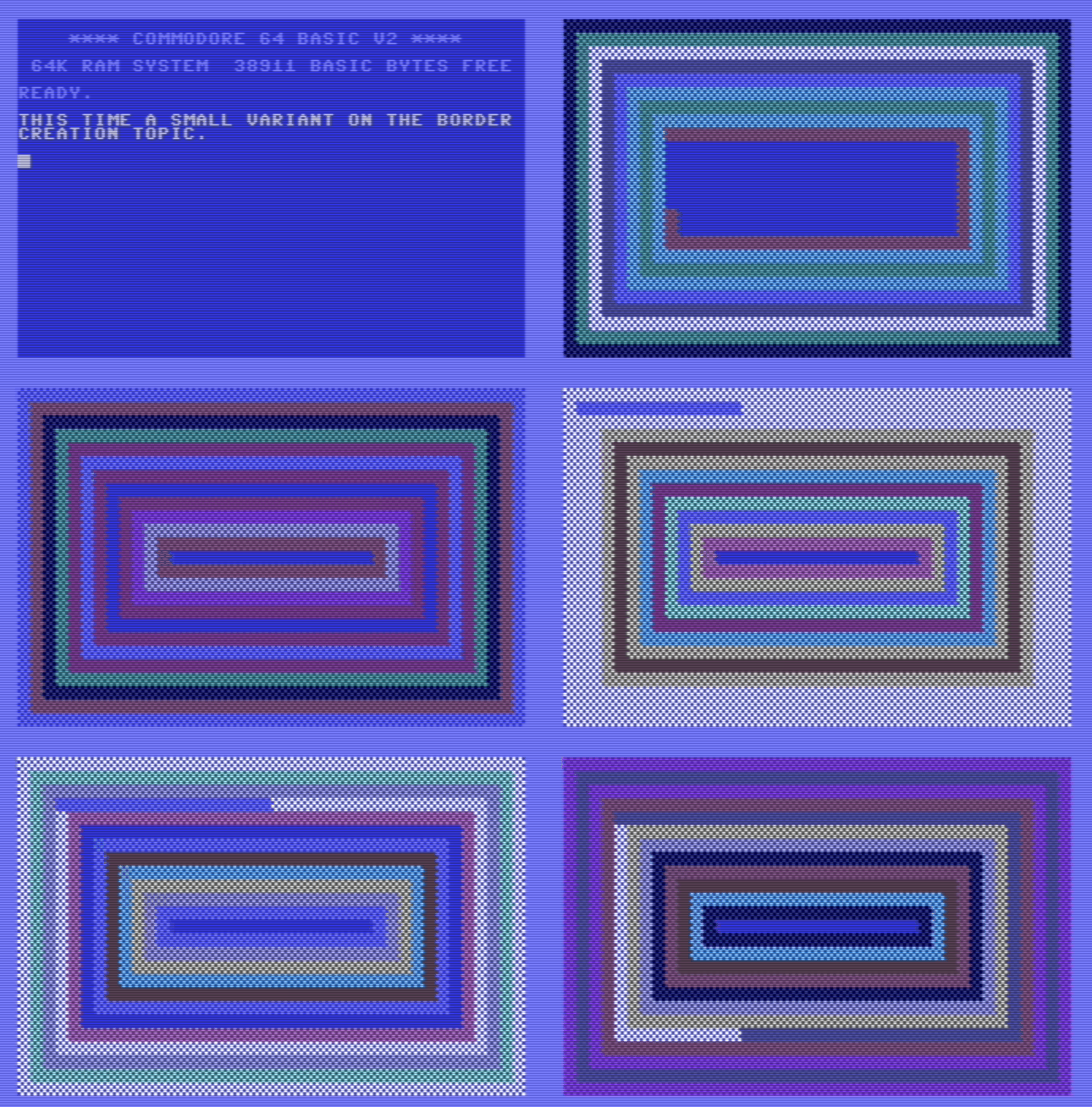
This time a small variant on the print border basic one-liner.

```basic
!- {166} - checkerboard character
!- {19} - cursor home
!- {157} - cursor left
!- {17} - cursor down
!- {148} - insert mode
!- {145} - cursor up
!- {29} - cursor right
!- readable version (vice formatted)
!- -------------------------------------------------
100 c=0
110 poke 646, rnd(.)*255
120 print"{19}";:if c>0 then for i=1 to c:print"{29}{17}";:next
130 for i=1 to 40-(2*c) : print "{166}";:next i
140 print "{157}";
150 for i=1 to 24-(2*c) : print "{166}{157}{17}";:next i
160 if c=0 then print "{157}{20}{29}{20}{29}{166}{157}{148}";
170 if c>0 then print "{166}";
180 for i=1 to 39-(2*c):print"{157}{157}{166}";:next
190 for i=1 to 24-(2*c):print"{145}{157}{166}";:next
200 c=c+1:if c=12 then 100
210 goto 110
```

BOUNCING BALLS - COMMODORE BASIC
BASIC Programs

BOUNCING BALLS - COMMODORE BASIC

Commodore 64 BASIC

This time a real classic Commodore Basic miniature "The bouncing ball". I think this classic is one of the Basic programs that when I first saw a version of it, I think almost 38 years ago (🤔 am I really that …), I wanted to know how a ball could just bounce around. As a small puzzle moment today I tried to recreate a version of it as I remember it, see the result.

First let me show the code for the most classic the single ball bouncing on the screen from side to side. I tried to keep the code clean and simple.

First version:
```basic
10 printchr$(147):poke214,24:print:poke211,10:print"single bouncing ball"
20 sm = 1024:x=int(rnd(1)*24):y=1:dy=1:dx=1
30 poke sm+x+(y*40), 32
40 if y>=22 or y < 1 then dy=dy*-1
50 if x>=39 or x < 1 then dx=dx*-1
60 x=x+(1*dx):y=y+(1*dy):poke sm+x+(y*40),81:fors=1to100:next: goto 30
```
Second version:
```basic
10 printchr$(147):poke214,24:print:poke211,10:print"line bouncing ball"
20 sm = 1024:x=int(rnd(1)*24):y=1:dy=1:dx=1
30 if y>=22 or y < 1 then dy=dy*-1
40 if x>=39 or x < 1 then dx=dx*-1
50 x=x+(1*dx):y=y+(1*dy):poke sm+x+(y*40), 81 :fors=1to100:next: goto 30
```
Third Version:
```basic
10 printchr$(147):poke214,24:print:poke211,8:print"pattern bouncing ball"
20 sm = 1024:x=int(rnd(1)*24):y=1:dy=1:dx=1
30 poke 55296 +x+(y*40), 5+dy : rem swap between green en screen blue
40 if y>=22 or y < 1 then dy=dy*-1
50 if x>=39 or x < 1 then dx=dx*-1
60 x=x+(1*dx):y=y+(1*dy):poke sm+x+(y*40), 81 :fors=1to50:next: goto 30
```

CREATING A REAL MAZE
BASIC Programs

CREATING A REAL MAZE

Commodore 64 BASIC

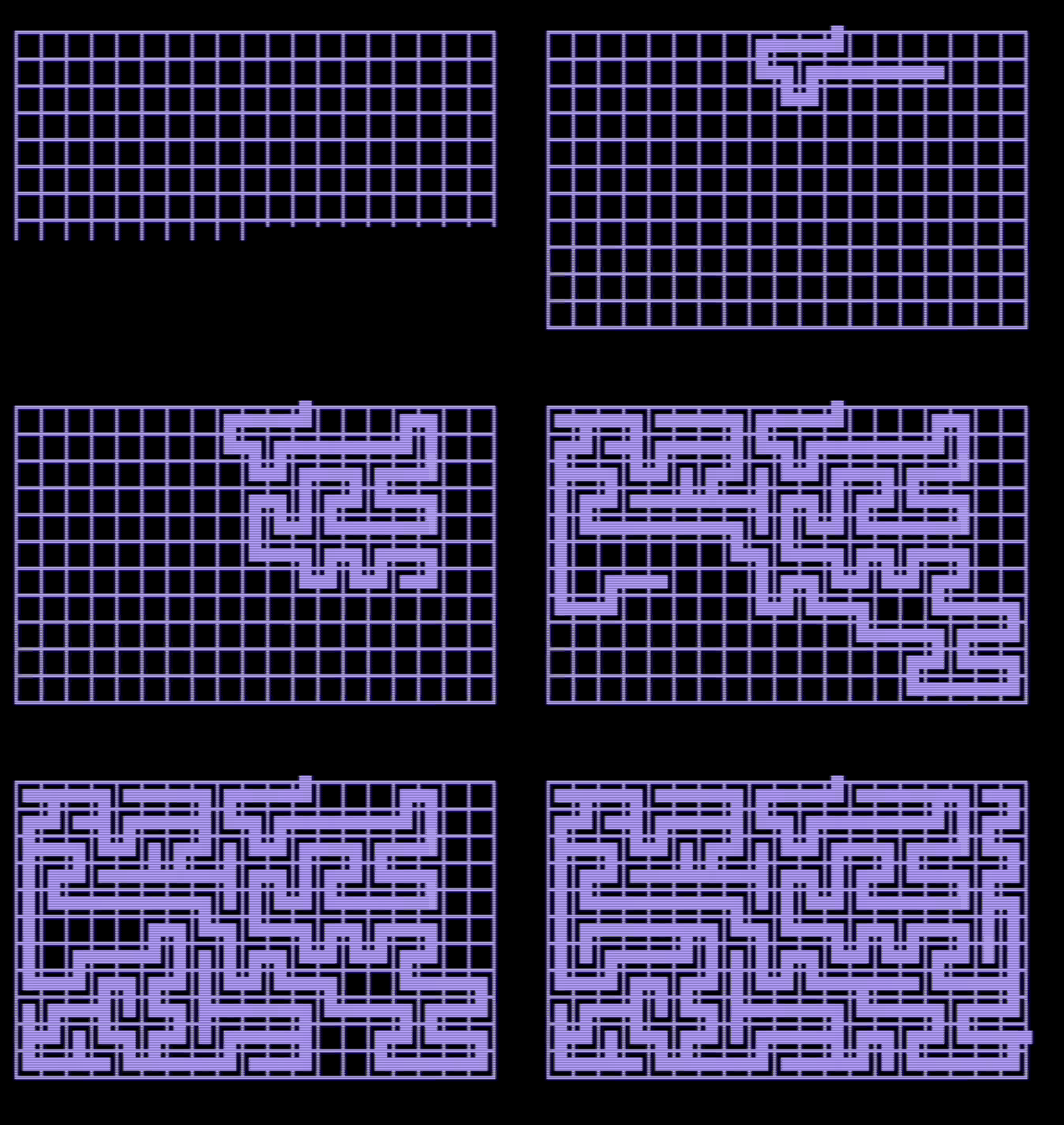
This time a basic program creating a reals maze. So there will be one opening at the top and one exit on the right side at the end of the maze generation.

A full explenation of the maze code can be viewed on my Youtube channel
Open link

The code can be downloaded
Open link

CREATING THE MAZE ALTERNATIVE
BASIC Programs

CREATING THE MAZE ALTERNATIVE

Commodore 64 BASIC

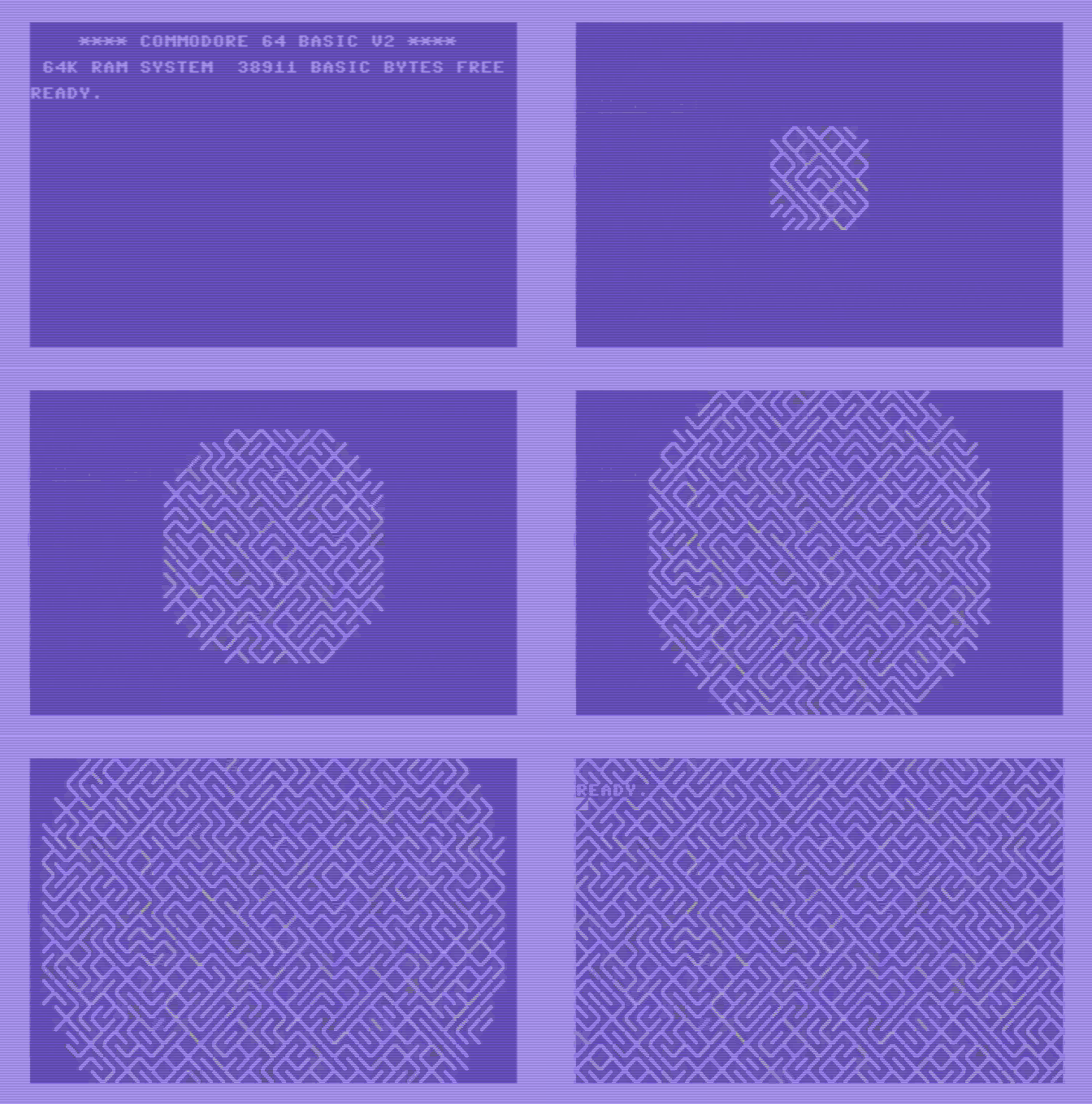
This is an alternative I created for displaying a maze on the screen.

```basic
10 rem -- www.justforthefunofit.nl --
20 rem creating a maze using a
30 rem circle method to fill the screen
40 rem --------------------------------
50 print chr$(147)
60 for r=1 to 24
70 for a=0 to 360
80 y=(int(r*cos(a))+12)
90 x=int(r*sin(a))+20
100 rem correcting screen bouderies
110 if y < 0 then y=0
120 if y > 24then y=24
130 if x < 0 then x=0
140 if x > 40then x=40
150 poke 1024+y*40+x,77+int(rnd(1)*2)
160 next a,r
```

FLIPPING OR MIRRORING A BYTE VALUE USING BASIC CODE
BASIC Programs

FLIPPING OR MIRRORING A BYTE VALUE USING BASIC CODE

Commodore 64 BASIC

One small basic program I wrote was a program to inverse or mirror the bit values of a byte. I later used this routines to mirror a sprite.
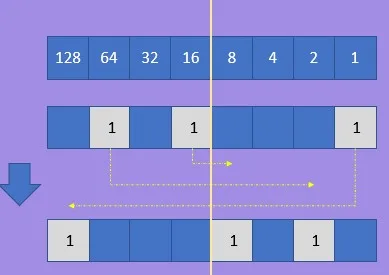
The idea is that the lowest bits of a byte are transfered to the highest bytes and visa versa. See the following image explaining this a bit more.

If a bit is "1" in the byte then set the opposite bit in the byte to "1"
For example if the highest bit in a byte is set (value 128) then set the lowest bit (1).
I created a few different routines to accomplish this in Commodore basic.
First straightforward method (and also the fastest).
```basic
10 b = int(rnd(1)*255) : r=.
20 if b and 1 then r=128
30 if b and 2 then r=r+64
40 if b and 4 then r=r+32
50 if b and 8 then r=r+16
60 if b and 16 then r=r+8
70 if b and 32 then r=r+4
80 if b and 64 then r=r+2
90 if b and 128 then r = r +1
100 print "reversed :" r
```
Second method using the "power to" operator and a loop.
```basic
10 b = int(rnd(1)*255) : for n=0to7
20 if b and 2^n then r = r+2^(7-n)
30 next : print "reversed :" r , r$
```
This code is very short, however the method is quite slow on a Commodore.
And a third method doing the same but this time using a string representation en mid$ function.

```basic
10 b=int(rnd(1)*255)
15 r=. :b$="00000000":r$="00000000"
20 if b and 1 then r=128:r$="1"+mid$(r$,2,8)
30 if b and 2 then r=r+64:r$=mid$(r$,1,1)+"1"+mid$(r$,3,8)
40 if b and 4 then r=r+32:r$=mid$(r$,1,2)+"1"+mid$(r$,4,8)
50 if b and 8 then r=r+16:r$=mid$(r$,1,3)+"1"+mid$(r$,5,8)
60 if b and 16 then r=r+8:r$=mid$(r$,1,4)+"1"+mid$(r$,6,8)
70 if b and 32 then r=r+4:r$=mid$(r$,1,5)+"1"+mid$(r$,7,8)
80 if b and 64 then r=r+2:r$=mid$(r$,1,6)+"1"+mid$(r$,8,8)
90 if b and 128 thenr=r+1: r$=mid$(r$,1,7)+"1"
100 print "reversed :" r , r$
```

LARGE CHARACTERS IN BASIC
BASIC Programs

LARGE CHARACTERS IN BASIC

Commodore 64 BASIC

In this example I read the character rom definitions to display the characters in an enlarged shape of it.

```basic
100 printchr$(147):dim cr(5)
110 poke56334,peek(56334)and254:poke 1,peek(1)and251
120 mg$=" just":gosub 200:mg$="for":gosub 200:mg$=" the":gosub 200
121 mg$="fun":gosub 200:mg$="of it":gosub 200
130 poke 1,peek(1)or4:poke56334,peek(56334)or1
140 goto 110
200 fori=1tolen(mg$):cr(i)=asc(mid$(mg$,i,1))and191:nexti
210 for r = 0 to 7
220 for c = 1 to len(mg$)
230 a=peek(53248+cr*8+r)
240 for n=7 to 0 step-1:b(n)=int(a/2^n):a=a-(b(n)*2^n):next n
250 fort=0 to 7:print mid$(" "+chr$(113),1+b(7-t),1);:next t
260 next c : if len(mg$)<5 then print
270 next r : return
```

MAKING WAVES - ONLINER
BASIC Programs

MAKING WAVES - ONLINER

Commodore 64 BASIC

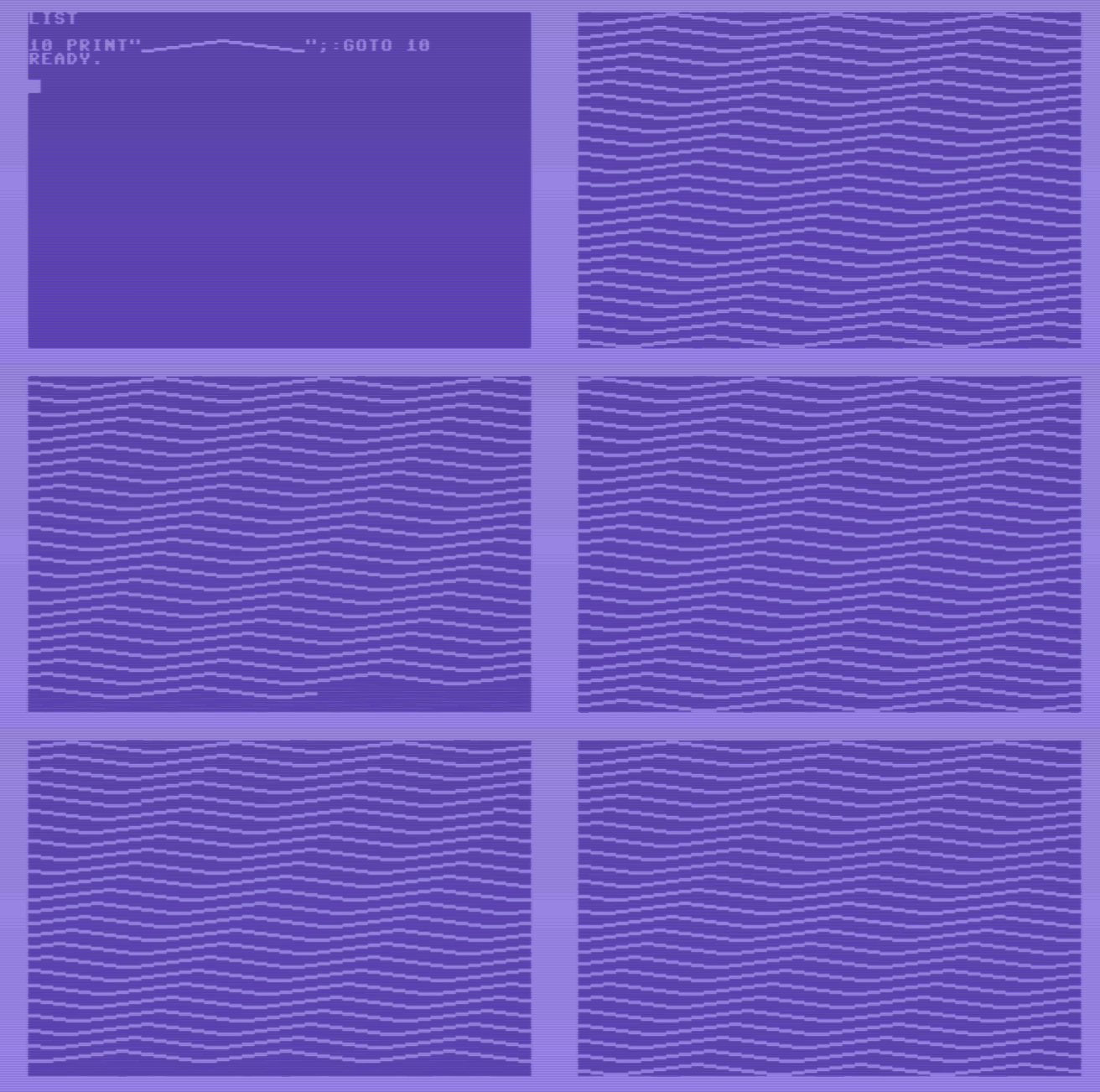
One of the early classics when writing one-line basic programs on the Commodore is this one. Just making use of the Commodore key graphics to create some illusion of movement.

```basic
10 print "{cm p}RFCDE{cm y}EDCFR{cm p}";:goto 10
```

```basic
10 ?chr$(175)+chr$(114)+chr$(102)+chr$(96)+chr$(100)+chr$(101)+chr$(183);
20 ?chr$(101)+chr$(100)+chr$(96)+chr$(102)+chr$(114)+chr$(175);
30 goto 10
```

PRINT VERSUS POKE
BASIC Programs

PRINT VERSUS POKE

Commodore 64 BASIC

Using print instead of poke:
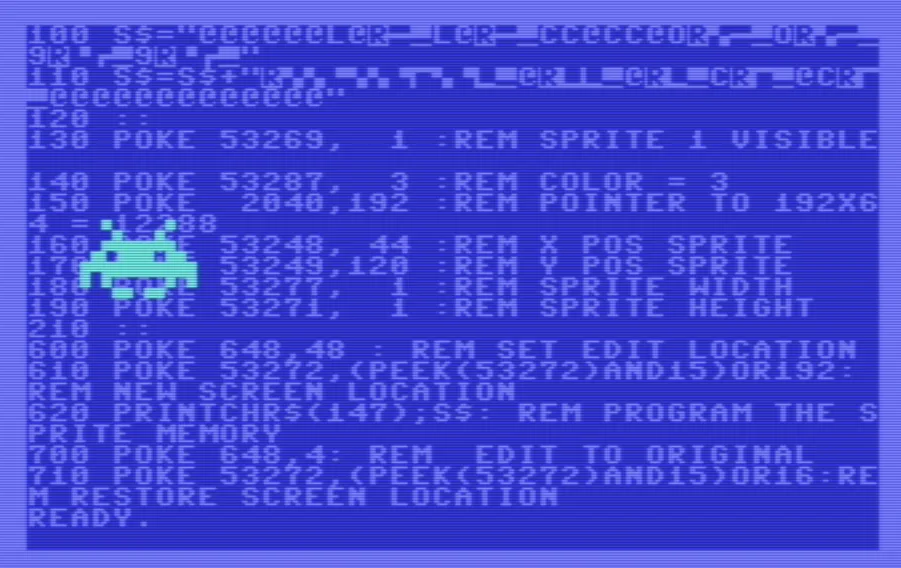
Learn a clever Commodore 64 trick: manipulate memory with PRINT instead of the slow POKE command. Watch as I show how to fill screen memory faster using custom strings, with examples and speed comparisons. Retro programming made fun and efficient!
Coding example:

```basic
100 s$="{64}{64}{64}{64}{64}{64}{76}{64}{18}{96}{146}{76}{64}{18}{96}{146}{67}{67}{64}{67}{67}{64}{79}{18}{191}{96}{146}{79}{18}{191}{96}{146}{57}{18}{188}{176}{146}{57}{18}{188}{176}{146}"
110 s$=s$+"{18}{191}{191}{188}{191}{191}{188}{111}{191}{188}{108}{146}{64}{18}{108}{108}{146}{64}{18}{108}{146}{67}{18}{111}{146}{64}{67}{18}{111}{146}{64}{64}{64}{64}{64}{64}{64}{64}{64}{64}{64}{64}{64}"
120 ::
130 poke 53269, 1 :rem sprite 1 visible
140 poke 53287, 3 :rem color = 3
150 poke 2040,192 :rem pointer to 192x64 = 12288
160 poke 53248, 44 :rem x pos sprite
170 poke 53249,120 :rem y pos sprite
180 poke 53277, 1 :rem sprite width
190 poke 53271, 1 :rem sprite height
210 ::
600 poke 648,48 : rem set edit location
610 poke 53272,(peek(53272)and15)or192: rem new screen location
620 ?chr$(147);s$: rem program the sprite memory
700 poke 648,4: rem edit to original
710 poke 53272,(peek(53272)and15)or16:rem restore screen location
```

PRINTING AT A CERTAIN LOCATION ON THE SCREEN
BASIC Programs

PRINTING AT A CERTAIN LOCATION ON THE SCREEN

Commodore 64 BASIC

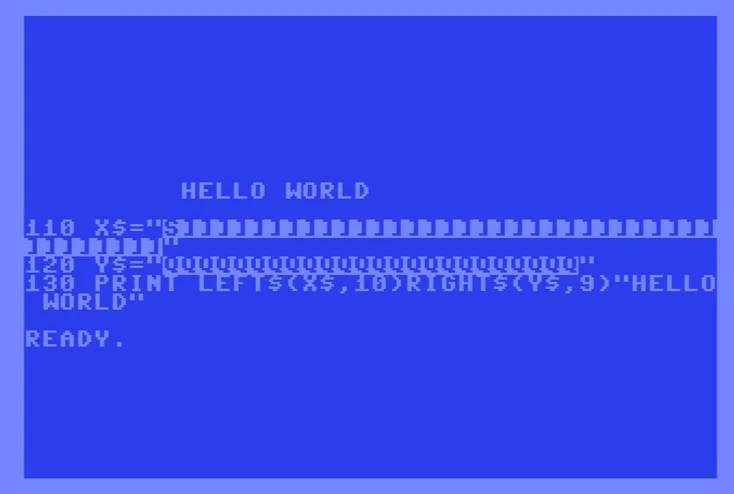
A trick not using any poke command but still able to print strings at a specific screen location is using the cursor PETSCII codes.

```basic
110 x$="{home}{right*39}"
120 y$="{down*24}"
130 print left$(x$,10)right$(y$,9)"hello world"
```

SMOOTH TEXT SCROLLING IN COMMODORE 64 BASIC
BASIC Programs

SMOOTH TEXT SCROLLING IN COMMODORE 64 BASIC

Commodore 64 BASIC

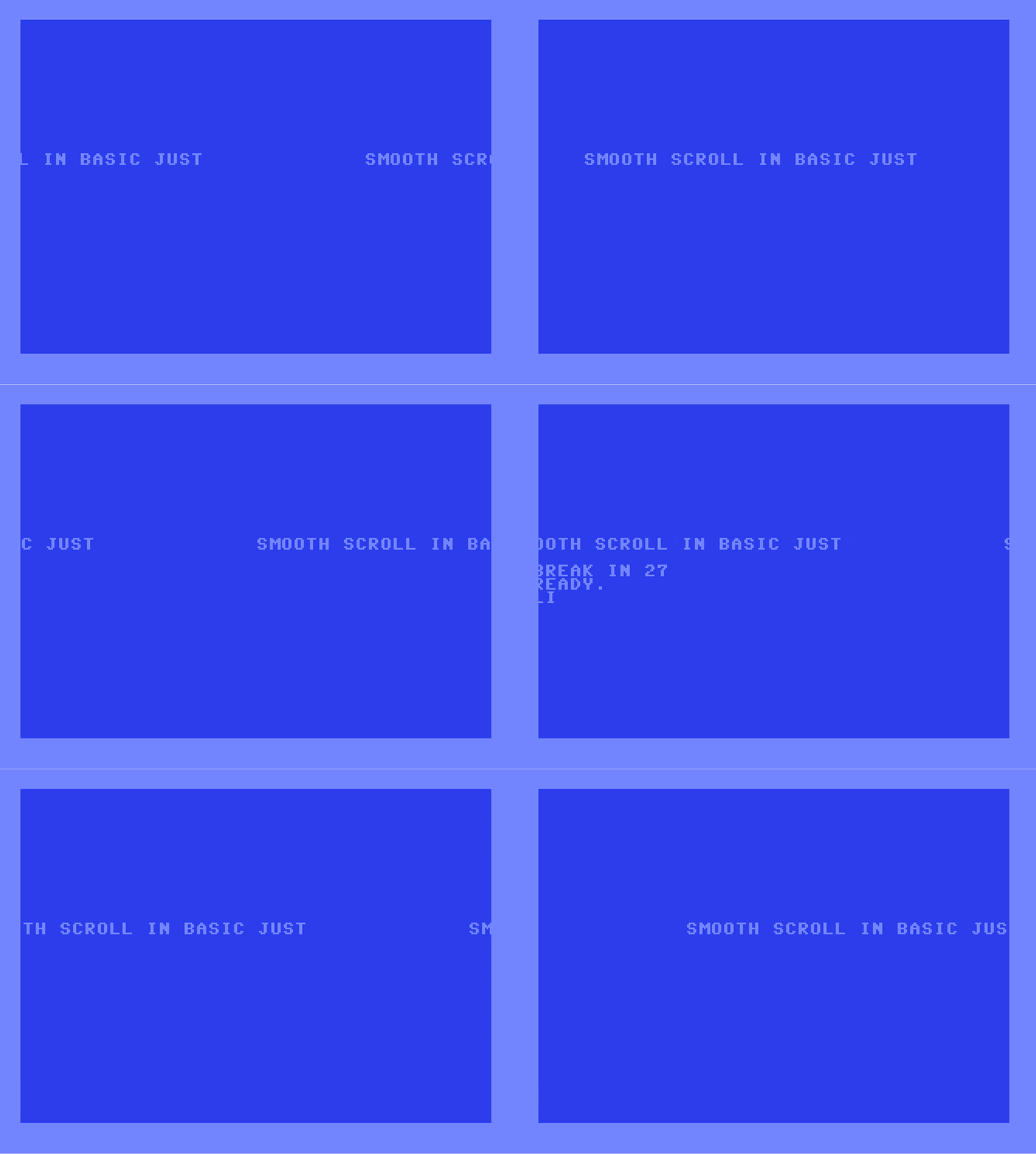
I wrote a small Commodore 64 BASIC program to demonstrate a smooth horizontal text scroll, pixel by pixel, using the VIC-II hardware registers.

No machine code, no tricks just plain BASIC, careful timing, and a bit of raster magic.

Anything more than this and BASIC starts to complain stuttering included
The scroll works by shifting the screen one pixel at a time, grabbing the first character on the line, and neatly placing it back at the end.
Simple idea, but squeezing smooth movement out of BASIC always feels like a small victory.

This is exactly the kind of stuff I loved experimenting with back in the day and yes,
it's still fun to do it today.

```basic
10 rem -----------------------------------
11 rem smooth scoll in commodore basic
12 rem just. anything more and this
13 rem will be to slow and start to stutter
14 rem -----------------------------------
15 ? chr$(147) : rem clear screen
16 x$="{home}{right*39}" : rem x cursor petscii chars
17 y$="{down*24}" : rem y cusror petscii chars
18 rr=53266 : rem raster register
19 xr=53270 : rem xscroll control register 2
20 sl=1024+(10*40) : rem first char at scroll line
21 se=sl+39 : rem last position at scroll line
22 :
23 ? left$(x$,5)left$(y$,10)"smooth scroll in basic just";
24 :
25 for i=7 to 0 step -1
26 poke xr,i : rem smooth scroll 1 pixel left
27 wait rr,128,0 : rem wait on raster
28 next
29 c=peek(sl) : rem get first char on scroll line
30 ?left$(x$,2)left$(y$,10)chr$(20): rem use del char
31 poke se,c : rem place char at end
40 goto 25 : rem repeat the process
```